 Support
Security
While owning a website, security of the same should be your primary motive. Even if you feel your website has no important data that could harm you if stolen, it still remains vital to secure website server that could be used by hackers to run a spam, or for transferring files of illegal nature or the new age issues of utilizing your server power for mining bitcoins.
Here is the comprehensive list of elements that will ensure your website is secure enough:
SSL (Secure Socket Layer)
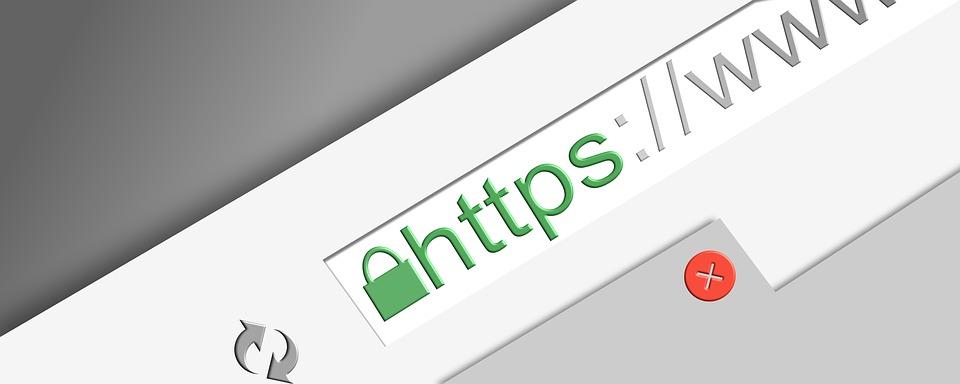
It’s a security protocol that works to encrypt the communication that happens between the server and the browser. For having an SSL connection on the website, you need a SSL certificate that includes Private and public cryptographic keys. A lock icon on the address bar of the website and ‘https’ in place of ‘http’ indicates that the website is SSL encrypted.
A website owner can choose to get Single domain SSL certificates that would secure only one domain name that is fully qualified or they can go for Wildcard certificates that extend their security to single domain as well as unlimited subdomains under it. If a website owner owns multiple websites, he can choose a Multi-domain certificate where a single certificate encrypts all the domains. If the website is a banking website or the visitors are required to share their usernames and password, the Extended Validation certificates must be used to make the website more trustworthy.
Hosting security
While selecting a hosting plan, a website owner must have a checklist ready to make sure the hosting security standards are fulfilled. A hosting service must be capable of monitoring the internal network frequently to prevent any malware attack to spread across the entire network. A firewall that prevents DDoS must be in place and must use FTP or SFTP file management protocols.
Unmanaged server security
If the website owner has opted for unmanaged hosting packages, he must act upon the server security. As it offers you freedom of server installation, it bring along with it the responsibility of securing the server by using strong passwords, disable root SSH access, create a firewall and set up a fail2ban that prevents a malware to monitor the log files.
The server must be up-to-date so that the latest upgrades for newer malicious attacks coming around can be prevented.
Hack prevention of Website

A website getting hacked is no news nowadays and it happens primarily due to software vulnerabilities or FTP password being hacked. If a website gets hacked, you immediately need to change the FTP password on the cPanel. The password must be hack proof this time. Check out the last upgrade date of your software, the ones that are outdated need to be upgraded with security patches. The hacked files must be removed, database must be restored and the security must be enhanced to prevent hacks in future.
Spam Prevention of website
If the outgoing emails are being labeled as spam, it could be a big hurdle for your website. All you need to do is keep modifying the server configuration, do not send HTML only emails, use valid markup if sending HTML emails, avoid special characters in the email subject line, create a Sender Policy Framework for each sender you use for emails.
WordPress Security
It is the most popular website platform, but huge traffic may make it vulnerable to attacks that can be avoided by using strong passwords for unique usernames. The themes and plugins utilized must be upgraded time to time while the unused ones must be deleted. Using an old version of theme or plugin makes the website more vulnerable to attacks. Make sure regular backups are maintained that can be restored in case of a security breach.
 KSA C.R No. : 1009194418